5 Essential Video Gaming Tools to Boost Performance

Small performance problems add up fast. A few dropped frames, a stiff mouse, muddy audio, or random ping spikes can turn a close match into a frustrating loss. Better hardware helps, but the right tools can often improve play without replacing an entire setup.
This list focuses on practical tools that help with frame rate, response time, control, awareness, and consistency. The order starts with tools that reveal problems, then moves into gear and software that can help fix them.

1. Performance monitoring software helps you find the real problem
Before changing settings or buying new gear, use a performance monitor to see what is actually happening. Tools such as MSI Afterburner, Windows Game Bar, NVIDIA overlay, AMD Adrenalin, and similar apps can show frame rate, frame time, CPU usage, GPU usage, temperatures, and memory use while you play.
Frame rate tells part of the story, but frame time often tells more. A game can average high FPS and still feel rough if frame times jump around. Those spikes are what players feel as stutter.
A good monitoring tool helps answer questions like:
Is the GPU working too hard?
Is the CPU causing slowdowns?
Are temperatures getting too high?
Is the game using too much system memory?
Did a graphics setting cause a sudden drop?
Practical tip: test one change at a time. Lower shadows, reflections, or ray tracing, then play the same section again. If frame time becomes smoother, keep the change. If nothing improves, put the setting back and test another.
2. A low-latency gaming mouse improves control
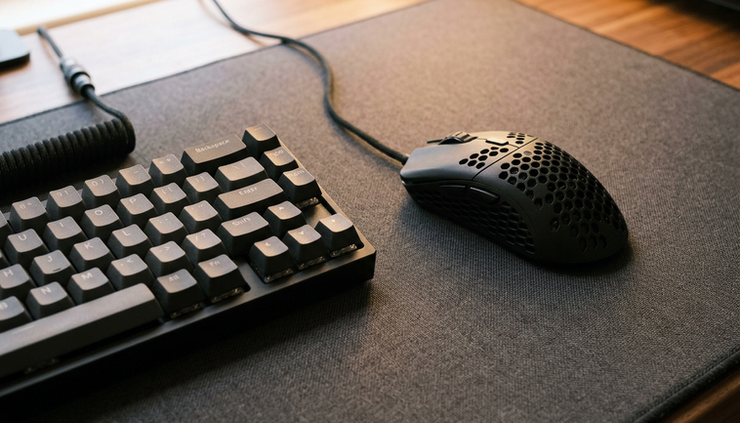
A gaming mouse will not make aiming automatic, but it can make movement feel more direct. Look for a mouse with a reliable sensor, comfortable shape, adjustable DPI, and low click latency. Weight matters too. Some players prefer light mice for fast flicks, while others like a heavier feel for steady tracking.
The best mouse is the one that fits the hand and grip style. Palm, claw, and fingertip grips all feel different. A mouse that feels great for one player may feel cramped or slippery for another.
DPI settings also deserve attention. Very high DPI can make small movements hard to control. Many competitive players use moderate DPI with lower in-game sensitivity, then adjust until they can turn quickly without overcorrecting.
Practical tip: pair the mouse with a large mouse pad. More space allows lower sensitivity without running out of room during wide turns.
3. A mechanical keyboard or responsive controller sharpens inputs
Input timing matters in shooters, fighting games, rhythm games, racing titles, and action RPGs. A mechanical keyboard can give clear feedback with each press, while a strong controller can improve comfort and consistency for games built around analog movement.
Keyboard players should focus on switch feel, layout, and rollover support. A compact keyboard can leave more room for mouse movement, which helps in low-sensitivity setups. Controller players should look for low input delay, comfortable sticks, dependable triggers, and a layout that supports long sessions.
For some games, back buttons or paddles can help because they allow jumps, slides, reloads, or ability use without taking thumbs off the sticks. That can make movement feel smoother and reduce awkward hand shifts.
Practical tip: keep keybinds simple. Place common actions where fingers rest naturally. If a bind feels hard to reach under pressure, change it before it becomes a bad habit.
4. An aim trainer or practice tool builds repeatable skill
Performance is not only about hardware. A smoother system helps, but practice tools help turn that smoothness into better play. Aim trainers, in-game practice ranges, workshop maps, combo trials, and training modes all give players a controlled space to repeat specific skills.
For shooters, aim trainers can help with tracking, flicking, target switching, and reaction timing. For fighting games, training mode helps with inputs, spacing, punishes, and matchups. For racing games, time trials help with braking points and racing lines.
The key is short, focused practice. Ten minutes with a clear goal often beats an hour of random warmups. Pick one skill and track it over time.
Try this simple routine:
Warm up with easy targets or basic inputs
Practice one specific weakness
Play real matches while focusing on that skill
Review what felt better or worse
Practical tip: do not change sensitivity every day. Give settings enough time to feel natural before judging them.

5. A network monitoring tool reduces lag surprises
Online games depend on stable connections. High ping is annoying, but unstable ping often feels worse. Random spikes, packet loss, or weak Wi-Fi can cause delayed shots, rubber banding, missed inputs, and sudden disconnects.
Network tools can help identify whether the issue comes from the game server, the home network, or the internet service. Built-in game network graphs, router apps, Windows Resource Monitor, and simple ping tests can all show useful clues.
A wired Ethernet connection is still one of the easiest upgrades for online play. If Ethernet is not possible, a strong Wi-Fi signal, a modern router, and reduced background downloads can help.
Practical tip: test your connection while nothing else is downloading. Then test again while streaming video or updating a game. If the second test is much worse, the network may need bandwidth limits, router settings changes, or a wired connection.

The best tool to start with
The best first pick is performance monitoring software. It costs little or nothing, works with almost any gaming setup, and shows where the real issue lives. Once you know whether the bottleneck is frame rate, heat, input feel, practice, or network stability, every next upgrade becomes easier to choose.
A faster mouse, better keyboard, aim trainer, and stable connection can all help. Start with measurement, fix the biggest problem first, then build habits around a setup that feels consistent every time you play.


Comments